Request a FREE SEO audit & quote
Unlock the full potential of your online presence with our expert SEO services.

Understanding where your leads come from is essential for any business that wants to grow strategically and improve marketing performance. Without proper lead tracking, it becomes difficult to know which campaigns, platforms or channels are generating genuine enquiries and which ones are simply consuming budget without delivering results.
For businesses working with a digital marketing agency in Sydney, lead tracking provides the clarity needed to understand which marketing activities are creating real opportunities. Volcano Marketing explores the core building blocks of effective lead tracking, including how to identify lead sources, set up tools such as UTM tags and analytics platforms, and use call tracking and CRM systems to capture valuable data.
Lead tracking is the only reliable way to see which marketing efforts are actually bringing in potential customers. Without it, decisions are based on guesses and vanity metrics instead of real revenue impact. Accurate tracking connects the dots between a first touchpoint and a signed deal so budgets and energy are focused where they produce the highest return.
Modern marketing spans search, social, email, offline advertising and word of mouth. Lead tracking turns this complex mix into clear data that show which channels, campaigns and messages convert and which quietly waste money.
Lead tracking ties each enquiry or form fill to a specific source such as Google Ads, organic search, a LinkedIn post or a networking event. Over time patterns emerge. For example, 20 leads from paid social might result in 1 sale while 10 leads from organic search produce 4 sales. Both channels look active, but only one is efficient.
This level of clarity makes it possible to:
Instead of relying on traffic, impressions or clicks, performance is judged on pipeline and revenue created.
When lead sources are tracked properly, the sales process becomes more tailored and effective. A salesperson who can see that a new lead came from a pricing page, a webinar signup or a specific campaign can adjust the conversation to match intent and level of awareness.
Lead tracking also helps:
If leads from one source regularly stall after a quote is sent, that signals a messaging, expectation or pricing issue that can be fixed. Tracking connects marketing activity to sales realities and exposes where refinement is needed.
Marketing budgets are always under scrutiny. Lead tracking provides the data needed to justify spend because cost per lead and cost per acquisition can be calculated by channel and campaign. When leadership asks which activities can be cut, the answer can be guided by hard numbers rather than opinion.
Consistent tracking over time also improves forecasting. If a particular campaign historically generates 50 leads and 10 customers every quarter with a defined average deal size, revenue projections become more accurate. Hiring plans, inventory decisions and cash flow management all benefit from this predictability.
In short, lead tracking turns marketing from a cost centre that is difficult to defend into a measurable growth engine that can be planned, optimised and scaled with confidence.
Before tracking where leads come from, it is vital to be clear about what actually counts as a lead. A lead is not every website visitor or social media follower. A lead is any identifiable person or organisation that has shown clear interest in a product or service and provided enough information to allow follow-up.
That definition will look slightly different for each business model, but the common thread is intent plus contactability. The more specific this definition, the more accurate lead tracking and reporting will be.
A contact qualifies as a lead when three basic conditions are met:
1. The person fits at least part of the ideal customer profile, such as location, industry or role.
2. The person has taken an action that signals interest, not just casual browsing.
3. There is at least one usable way to follow up, such as email, phone or direct message.
For example, a visitor who reads a blog and then leaves is not a lead. A visitor who fills in a quote form requesting pricing with a real email and phone number is a lead. The distinction sits in traceable intent.
Different channels generate different kinds of leads. The format changes but the principle stays the same.
For effective tracking, it helps to separate leads into basic stages.
A marketing-qualified lead is someone who has shown interest, often through content or offers such as downloading a guide, attending a webinar or subscribing to a newsletter with business contact details. They are interested but may not be ready to buy.
A sales-qualified lead is further along. This person has requested a quote, scheduled a sales call, asked for a proposal or indicated a defined need and timeframe. These leads should be routed to sales as priorities.
Clarity on what counts as a lead at each stage makes attribution reports meaningful and helps identify which channels are producing interest and which are producing real sales opportunities.
Calls, forms and emails are the three primary ways prospects reach out, so each must be tracked separately and accurately. Proper setup makes it possible to see not just how many leads arrive, but exactly which marketing source triggered each contact.
The goal is to tag every inbound touchpoint with a campaign, channel or offer so performance can be compared. This section outlines how to configure simple but reliable tracking for phone calls, web forms and email enquiries.
Call tracking connects inbound phone calls to the marketing activity that generated them. The simplest option is static numbers. Assign a unique phone number to each major channel such as paid search, organic search, direct mail or print ads. Forward each number to the main business line and use call tracking software or the phone provider’s logs to attribute leads to the correct source.
For higher volume or more granular insight, dynamic number insertion is recommended. A small script on the website swaps the visible phone number based on how the visitor arrived. Someone from Google Ads sees one number; someone from organic search sees another. The tracking tool then records the source, campaign and keyword, where available, along with call duration.
At minimum call tracking should capture caller number; date and time; landing page or campaign; and call outcome, such as enquiry or sale. These fields should map into the CRM so phone leads sit alongside form and email leads in a single view.
Every form on the website should be submitted into a system that records both the form type and the traffic source. Use hidden fields to capture UTM parameters such as source, medium and campaign as well as the landing page URL. When a visitor submits a form, these values travel with the lead into the CRM or email platform.
Different forms need to be treated as different lead types. A “Request a Quote” form has a different intent than a “Download Guide” form. Ensure the form name or form ID is passed through so reporting can distinguish between sales-ready leads and early-stage enquiries.
Configure form notifications to include key tracking details in the email subject or body. This creates a basic backup trail even if the CRM integration fails and makes manual checks easier. Regularly test forms using different sources such as paid ads and organic search to confirm that tracking values are recorded correctly.
Email leads often arrive through direct messages or “mailto” links rather than structured forms, so they need deliberate tracking. Start by creating unique email addresses for major channels such as ads, websites or events that all forward to the same inbox. Each address represents a distinct source that can be reported on.
For on-site email links, replace plain “mailto” addresses with tracked equivalents. Use UTM-tagged links that open a prefilled subject line, such as “Website enquiry - Google Ads” or “Website enquiry - Organic search", so the source can be identified later. Train the team that processes enquiries to log each email into the CRM with a mandatory “Lead source” field to standardise attribution.
When running campaigns, use dedicated reply-to addresses for each key initiative. For example, a newsletter, a specific promotion or a trade show follow-up can each have a unique address that automatically tags leads from that activity. This approach turns otherwise unstructured email activity into measurable data that can be compared directly with calls and forms.

Analytics tools bridge the gap between anonymous website visitors and real leads in the pipeline. With the right setup it becomes possible to see which channels, campaigns and pages are responsible for actual enquiries rather than just traffic.
The key is to capture where a visitor came from and then carry that information through to forms, calls and live chat so every enquiry can be tied back to a specific source.
Start with a robust analytics platform such as Google Analytics 4. Install tracking on every page and verify that sessions, page views and events are recording accurately. Configure key conversion events such as contact form submissions, quote requests and newsletter signups.
Link Google Analytics to Google Ads and other ad platforms where possible. This allows cost, clicks and conversions to be viewed together and reveals which campaigns generate real leads.
UTM parameters are essential for accurate attribution. Add UTM tags to all paid campaigns, email newsletters and significant social posts. At a minimum use:
When a visitor with UTM tags submits a form, those parameters can be stored and later tied to the lead.
Analytics data becomes truly valuable when it is connected to individual enquiries. Configure contact and enquiry forms so they record marketing source details along with the user’s information.
Include hidden fields on forms for original source, medium, campaign and landing page. Use JavaScript or a tag manager to populate these fields from UTM parameters or from the default channel group in analytics. When a form is submitted, those values are stored in the CRM or email notification with the lead’s name and contact details.
Set up first touch and last touch tracking. First touch shows the channel that first brought the visitor to the site. Last touch highlights what finally drove the enquiry. Storing both provides a clearer view of the full journey from initial click to conversion.
Many high-value leads make contact by phone or message rather than only via forms. Call tracking connects these offline actions to online behaviour.
Use dynamic number insertion so visitors from different sources see different phone numbers. A visitor from Google Ads sees one number while a visitor from organic search sees another. Each number forwards to the same destination line, but the call tracking system records which channel generated the call and sends that data into analytics and the CRM.
For live chat or messaging tools, enable integration with analytics so a chat start or enquiry is logged as an event. Where possible, capture the same source and campaign data that is recorded for forms.
With forms, calls and messages all linked back to website sessions, marketing performance can be measured by qualified leads rather than surface metrics like clicks or impressions.
Direct feedback from new leads is one of the simplest and most reliable ways to understand which marketing channels are actually working. By asking every new enquiry how they found the business, it becomes possible to connect real people and real sales to specific campaigns rather than guessing from analytics alone. This information fills the gaps that tracking links and software often miss, and it gives a clearer picture of which activities deserve more budget and attention.
To be useful, the question must be asked consistently, and the answers must be recorded in a structured way. A casual “just curious” question that no one logs is almost worthless. A standardised question built into every enquiry touchpoint turns anecdotal comments into data that can be analysed and used to guide future marketing decisions.
The key is to make “How did you hear about us?" ” a non‑negotiable step whenever someone gets in touch for the first time. For phone calls, this means adding the question to call-handling scripts for reception and sales staff. For walk‑ins it means training front‑of‑house staff to ask at the point of first conversation or when completing any new customer form.
On digital channels the question should be built into contact forms, quote request forms, booking forms and live chat flows. A simple required field such as 'How did you find this business today? ” with a dropdown list of main options keeps answers consistent. Social media direct messages can be handled with a short saved reply that confirms details then asks how the person discovered the business.
Consistency across all channels is critical. If the question is only asked on some calls or only appears on some forms, the data set will be incomplete and misleading. Every first contact should capture the same information in the same way.
Open‑ended answers are hard to report on, so it is better to offer a defined list of options that match the main marketing activities. Typical categories include the following:
This structure helps avoid vague responses like "online", which do not help with channel decisions. If someone chooses "Other", provide a small text box so they can add detail such as “local networking event” or “podcast interview". Periodically review these “Other” responses, and if the same source appears often, add it as a permanent option.
Keeping the list focused is important. Too many choices will confuse people and increase random selections. Start with the six to ten most important channels and refine over time as patterns emerge.
Capturing the answer is only useful if it can be retrieved and analysed later. Every response should be recorded in a CRM system, spreadsheet, booking system or, at a minimum, in a shared log that sales and marketing teams can access.
Create a single field such as “Lead source” and make it mandatory for all new contacts. For phone and walk‑in enquiries, staff should select the appropriate source immediately after the interaction while it is still fresh. For online forms the field can feed directly into the CRM without manual work.
Regularly review the data by counting how many leads each source generates and where actual sales or high‑value enquiries come from. Over time this simple habit reveals which channels consistently produce profitable leads and which activities can be reduced or reworked.
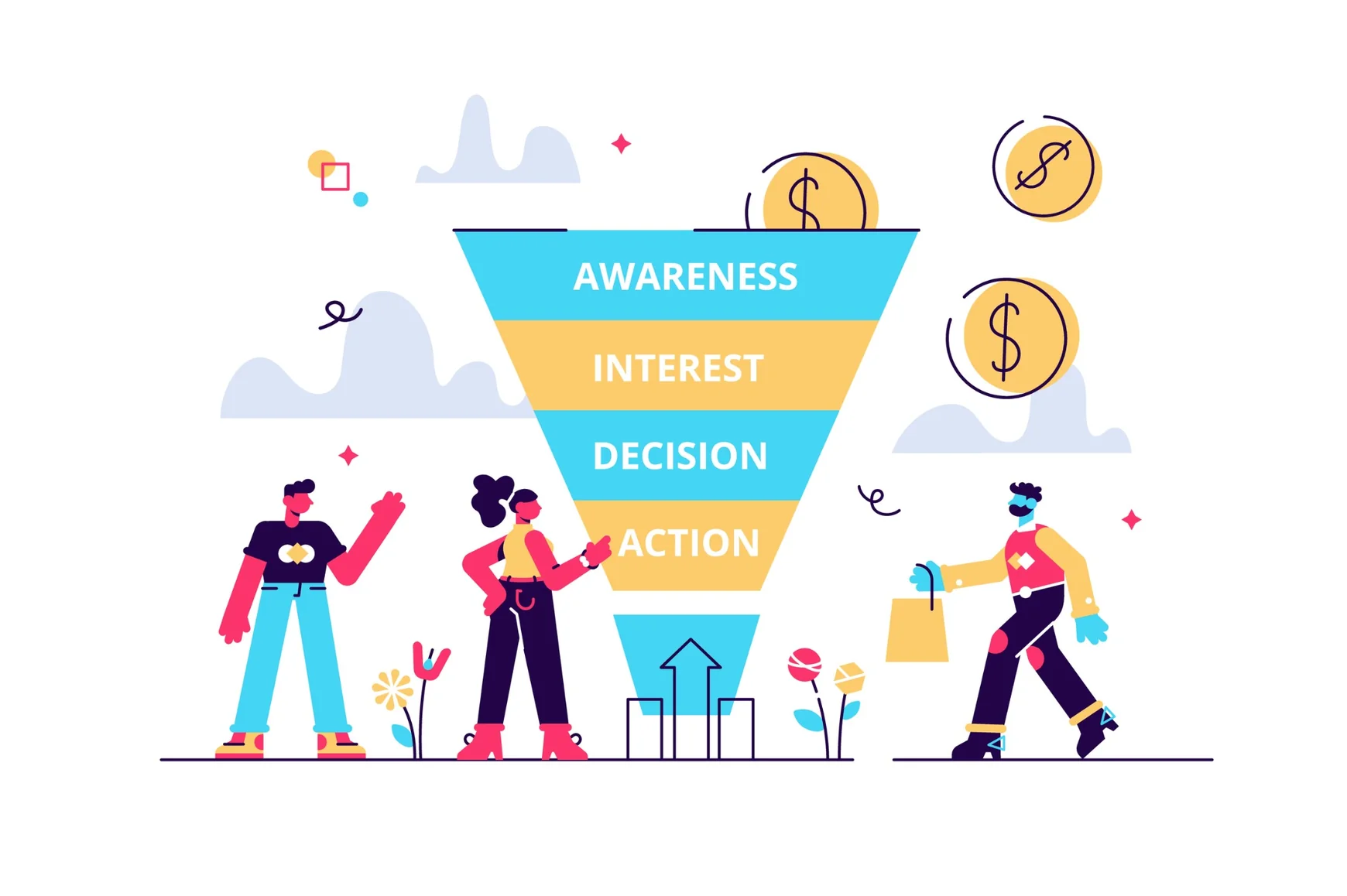
High lead volume looks impressive on a dashboard but does not guarantee revenue. The real value lies in understanding which sources produce leads that actually turn into customers at a profitable cost. Measuring lead quality alongside quantity provides the clarity needed to cut waste and double down on what works.
Quality-focused tracking links every lead source to pipeline stages, deal value and closed revenue. This makes it possible to evaluate channels on commercial performance rather than vanity metrics like clicks, impressions or raw lead counts.
Start by agreeing on a clear, simple definition of a qualified lead. This should be based on both fit and behaviour.
Fit criteria might include location, company size, budget range, decision-making authority or industry. Behavioural criteria might include requesting pricing, booking a consultation or viewing key pages such as pricing or service detail pages.
Assign a score or rating to leads based on these factors. For example:
Track these lead stages consistently in the CRM. Every tracked lead source should be connected to this qualification data to reveal which channels bring in the right people rather
than just the most people.
To move beyond surface-level metrics, connect channels to concrete financial outcomes. For each lead source track at minimum:
This requires clean source tracking at first touch, such as UTM parameters on digital campaigns, unique phone numbers for offline ads and dedicated landing pages for specific promotions.
Once leads are correctly tagged, attribute revenue back to the original source in the CRM or analytics platform. Over time, patterns become clear. Some channels will produce fewer leads but higher conversion and higher deal values. Others may flood the funnel with unqualified contacts that rarely close.
With quality and revenue data in place, marketing spend can be adjusted with precision. The goal is to allocate a budget based on cost per qualified lead and cost per closed deal rather than cost per click or cost per raw lead.
Shift budget away from channels with high lead volume but poor conversion to opportunity or revenue. Increase investment in campaigns that reliably generate qualified leads even if the initial cost per lead looks higher.
Use insights to refine targeting and messaging. If high-quality leads tend to come from specific industries or regions, tighten audience definitions in ad platforms. If certain offers or content formats attract better-fit prospects, prioritise those in future campaigns.
Finally, review lead quality and revenue by source on a consistent schedule. Monthly or quarterly reviews keep spend aligned with performance and prevent ongoing waste on low-quality channels. Over time this disciplined approach builds a marketing engine optimised for profitable growth rather than vanity metrics.
Effective lead tracking helps businesses understand which marketing activities are generating genuine enquiries and contributing to long-term growth. By using tools such as UTM parameters, analytics platforms, call tracking and CRM systems, businesses can connect their marketing efforts to real customer actions and make more informed decisions about where to invest their budget. Volcano Marketing highlights how a structured lead tracking system can improve campaign performance, strengthen sales visibility and create a clearer understanding of the customer journey. With the right processes in place and regular performance reviews, businesses can focus on the channels that deliver the strongest results and build a more reliable and measurable marketing strategy.