Request a FREE SEO audit & quote
Unlock the full potential of your online presence with our expert SEO services.
.webp)
For trade businesses, Google is often the first place potential customers look when they need a plumber, electrician, builder, landscaper or other local service. A well-optimised Google Business Profile can help a business stand out in Search and Maps, build trust and turn local searches into calls and enquiries. Volcano Marketing, a digital marketing agency in Sydney, understands the importance of keeping these details accurate and useful.
A strong profile involves more than adding a business name and phone number. Accurate categories, service areas, services, photos and reviews help present the business clearly while making it easier for potential customers to decide whether to make contact.
Regular updates and performance tracking can also help maintain the profile over time, allowing trade businesses to attract more relevant local searches and turn them into genuine enquiries.
.webp)
A complete and accurate Google Business Profile gives trade businesses a solid foundation for appearing in Google Search and Maps. The setup process is relatively simple, but choosing the correct business type, entering consistent information and completing verification can prevent problems later.
Before creating a new listing, search Google Maps for the business name and location. If a profile already exists, check whether the details match the business and look for the option to claim it.
Avoid creating a duplicate listing for a business that already has a profile. Duplicate listings can confuse customers and may need to be resolved before the business has one clear, managed presence.
If an existing profile is found, follow Google’s instructions to claim your Business Profile. If there is no listing, create a new profile through Google's Business Profile service.
Provide:
For trade businesses that travel to customers rather than receive customers at their premises, a service-area setup may be more appropriate than displaying a residential address.
Google requires businesses to verify their profile to confirm that they are authorised to manage it. The verification method available can vary, so businesses should follow the instructions provided by Google.
Once verification is complete, review the profile carefully and check the:
The business description and relevant photos can then be added to give customers a clearer understanding of what the business offers.
The categories, business details and service areas on a Google Business Profile help Google understand what a trade business does and where it operates. Accurate information also helps customers find the right service without confusion.
Select a primary category that best represents the business's main service. For example, a plumbing company should choose “Plumber” rather than a broad category such as “contractor”.
Additional categories can represent genuine secondary services, but they should remain relevant. For example:
Avoid adding unrelated categories simply to target more searches. Review the categories whenever the business changes its services to ensure they remain accurate.
The core business information should match the company's website and other reputable listings. Pay attention to:
Following Google’s Business Profile guidelines can help businesses use an accurate real-world name, address, service area, phone number and website without adding misleading keywords. The business name should reflect its real-world branding rather than include extra keywords. Opening hours should also reflect when customers can genuinely contact or visit the business.
Trade businesses that travel to customers should define the suburbs, towns or regions they genuinely serve. There is little benefit in targeting a huge geographic area if the business cannot reliably take on work there.
Focus on the locations that matter most to the business and where customers are realistically likely to book its services. Clear and accurate service areas also help reduce enquiries from locations the business does not service.
Trade businesses targeting particular suburbs can also use hyperlocal SEO strategies to strengthen their relevance in the communities they genuinely service.
The services and business description should quickly explain what a trade business offers, who it serves and where it operates. Clear information helps potential customers decide whether the business is suitable for their needs.
Use the “Services” section to highlight the jobs the business regularly provides. Focus on important services that customers are likely to search for.
The “Services” section should provide more detail about the specific jobs customers can book rather than simply repeating the business categories.
The business description should be factual, customer-focused and easy to understand. It can briefly explain:
Use relevant search terms naturally rather than repeating keywords.
Review the services and description whenever the business changes. Add new services when they become part of the offering and remove services that are no longer provided.
Service areas, qualifications, contact details and other important information should also be checked periodically so the profile continues to reflect the current business.
Photos give potential customers a quick way to assess a trade business's work, professionalism and experience. Genuine, current images can build confidence when customers are comparing several local businesses.
Focus on photos that represent the work the business actually provides rather than relying on generic or heavily edited images.
Useful photos include:
Images should be clear, well lit and free from excessive filters, text overlays or unnecessary clutter. Use recent photos that reflect the business's current branding, services and standard of work.
Adding new project photos from time to time also gives potential customers more relevant examples of completed work. Always obtain appropriate permission before publishing images that show customers, private properties or identifying information.
Google reviews can influence whether potential customers choose one trade business over another. Recent, genuine feedback gives homeowners and other customers insight into workmanship, reliability and customer service.
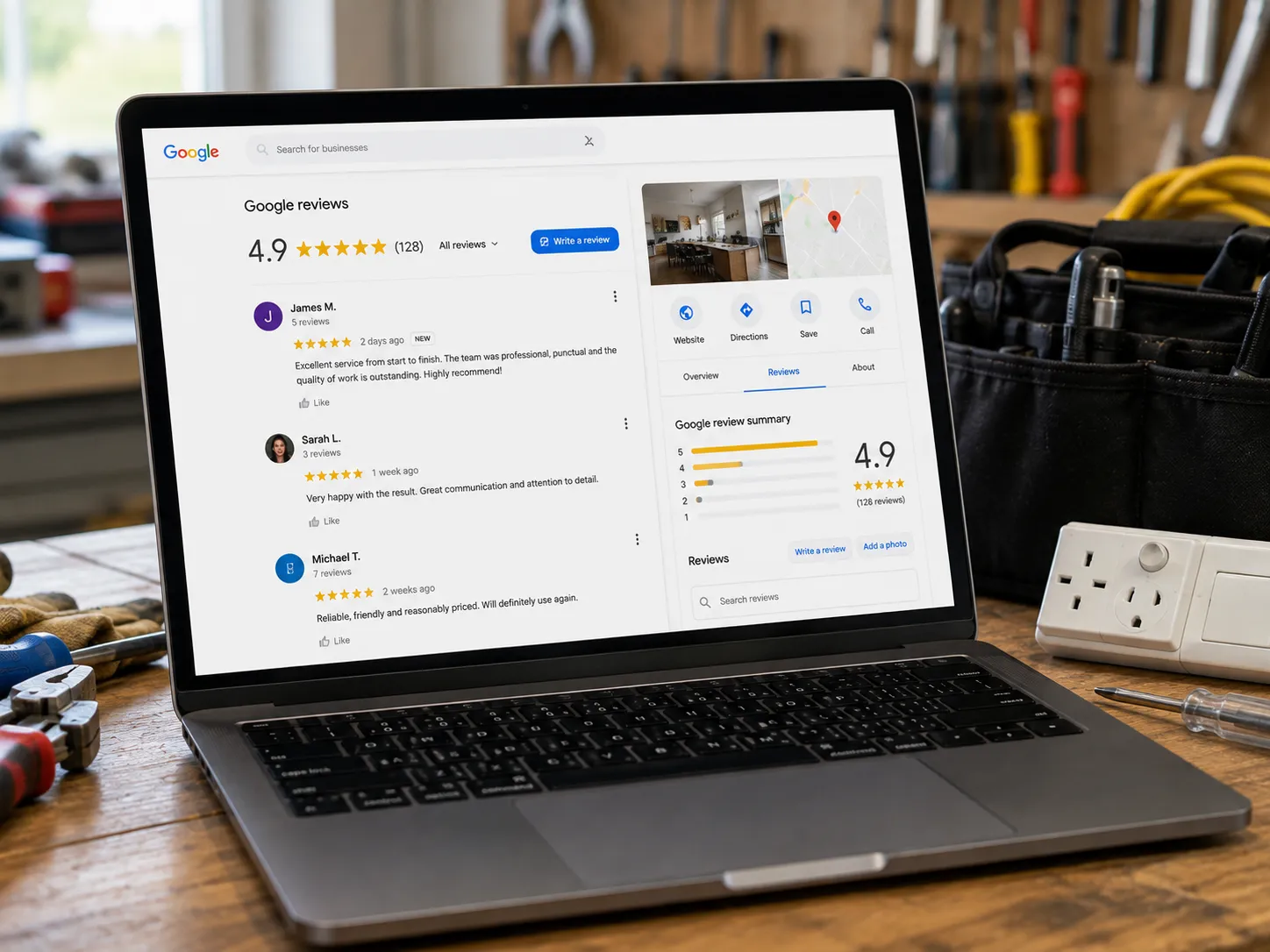
Understanding how Google reviews affect local search rankings can help trade businesses treat genuine feedback and professional responses as part of their wider local SEO strategy.
The goal should be to make genuine review requests part of the normal customer journey and respond professionally to feedback.
Ask satisfied customers for a review shortly after completing a job while the experience is still fresh. Make the process simple by providing a direct Google review link through email, text message, invoices or job management software.
Avoid offering discounts, gifts or other incentives in exchange for reviews. Feedback should reflect genuine customer experiences.
Responding to reviews shows that the business takes customer feedback seriously. Keep responses brief, professional and relevant.
Avoid arguing publicly or sharing private customer information in responses.
Check for new reviews regularly and respond where appropriate. Look beyond the overall star rating and consider recurring comments about communication, punctuality, workmanship or customer service.
This feedback can help the business identify what customers value and where improvements may be needed.
A Google Business Profile should reflect the services a trade business provides and the locations it genuinely serves. Rather than trying to target every possible keyword, focus on searches that are likely to attract relevant customers.
Use customer-focused language throughout the profile, particularly in the business description. Include relevant service and location terms naturally without keyword stuffing or adding locations the business does not service.
The profile should also align with the business website. Where appropriate, relevant services can also link customers to dedicated pages on the website. For example, an electrician offering EV charger installation could list the service on the profile and provide a corresponding page on the website.
Professional local SEO services can help align the Business Profile with service pages, location-focused content, keyword targeting and wider organic search visibility.
The priority should be relevant local searches rather than broad visibility. A smaller number of searches from customers who genuinely need the business's services can be more valuable than large volumes of poorly targeted traffic.
A Google Business Profile is supported by the wider online presence of a trade business. Local directories, industry websites and reputable business listings can reinforce information about what the business does and where it operates.
The most important details to keep consistent are the business name, address and phone number (NAP). Website URLs, service information and opening hours should also remain accurate wherever they are published.
Focus on reputable and relevant sources rather than trying to create hundreds of listings. Depending on the business, useful citation opportunities may include:
Avoid adding keywords to the business name or creating different versions of the business details to target additional searches.
Review important online listings periodically, particularly after a change to the business name, address, phone number or website.
Look for:
Update incorrect information where possible. Keeping important citations accurate and consistent complements the Google Business Profile and creates a more reliable online presence.
A well-optimised Google Business Profile helps trade businesses appear when local customers are actively searching for services. Improving local visibility starts with making sure Google and potential customers can clearly understand what the business does, where it operates and whether it is relevant to the search.
Focus on these areas:
The goal is not simply to generate more profile views. The priority is attracting local customers who need the services the business actually provides.
A Google Business Profile should be treated as an ongoing local marketing asset rather than a one-time setup. Keeping information accurate, monitoring customer feedback and reviewing performance data helps trade businesses make better decisions about their local presence.
Focus on these key areas:
The purpose of tracking is not simply to collect numbers. It is to identify what attracts relevant customers and use those insights to improve the business's wider local marketing strategy.
A Google Business Profile can be a valuable asset for trade businesses looking to attract more local customers. Accurate categories, service areas, services, photos and reviews help present the business clearly, build trust and encourage relevant enquiries. Volcano Marketing understands how these elements can work together as part of a broader local marketing strategy.
Rather than treating the profile as a one-off setup, businesses should keep their information accurate, respond to customer feedback, add useful content and review performance. With consistent management and a focus on relevant local searches, this can become a reliable part of a trade business's wider digital marketing strategy.